APP STORE · GOOGLE PLAY
Game screenshots for the App Store and Google Play
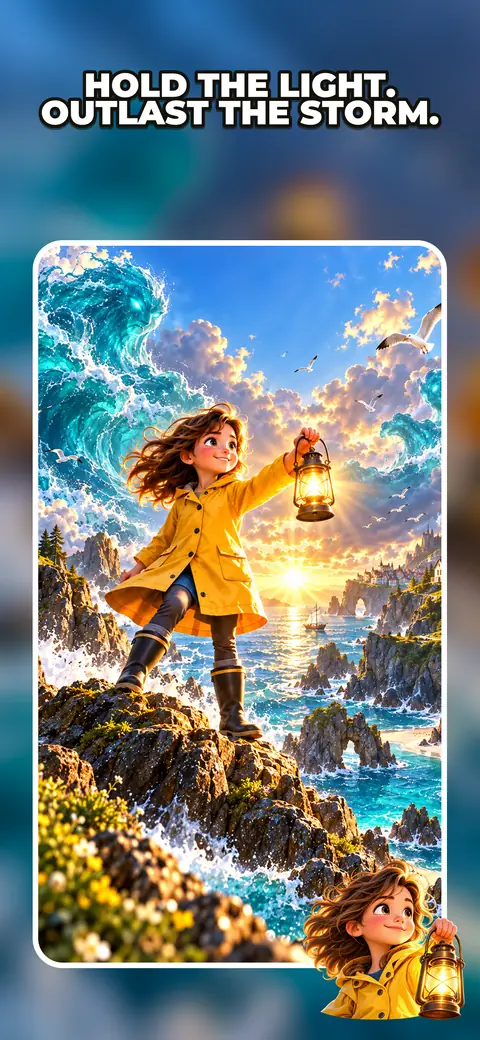
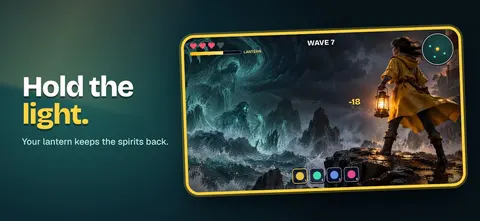
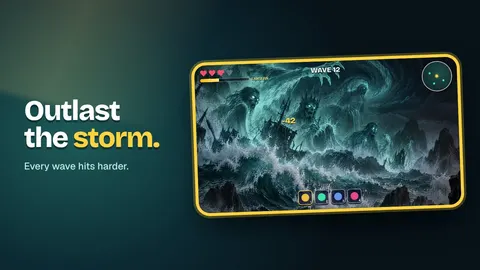
Upload screenshots from your game. Kitpop frames them in your game's style, with your character, logo and a short caption, at every size both stores ask for.
Kitpop doesn't make gameplay pictures. Both stores want screenshots that show your real game, so we build around yours.
Good to know: Google Play may treat a game as made for kids if its store art uses youthful animation or young characters. This only changes the rule checks. We don't ask your age. Why? →
Style preview is free · No card
How it works
Real moments from your game. The more they show what makes it fun, the better.
Your free style card sets the frame, colors and character. It matches your icon and feature graphic.
A few words per screenshot, like "Build your own island". We keep them small enough for the store rules.
One ZIP for the App Store and one for Google Play, every file at the right size.
What you get
App Store
- iPhone screenshots at the size App Store Connect asks for today (1206×2622)
- iPad 13-inch screenshots, if your game runs on iPad
- No transparency, ready to upload
Google Play
- Phone screenshots in 16:9 or 9:16 (1920×1080 or 1080×1920)
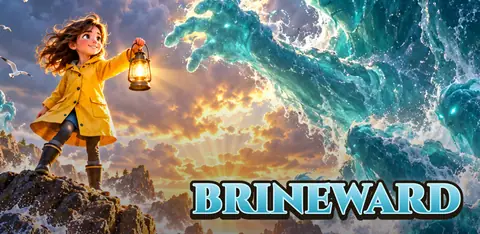
- A feature graphic at 1024×500 in the same style
- Captions kept under 20% of each screenshot
Both: the same look across every screenshot, your icon and your feature graphic.
Store rules we check
Every file is built around a screenshot you uploaded.
Apple doesn't allow prices on screenshots, and Google doesn't allow ranking, award or deal claims.
Only in the Kids category on the App Store.
Google asks that captions take up 20% of a screenshot or less.
Every file matches the store's current list.
Sources: App Store Review Guidelines 2.3, App Store screenshot sizes, Google Play preview assets, Google Play metadata policy. Last checked: October 15, 2026.
Questions
Does Kitpop make screenshots of my game?
No. You upload real screenshots from your game. Kitpop adds the frame, character, logo and caption around them.
Why can't it just make the gameplay pictures?
Both stores want screenshots that show your real game. Apple says screenshots should show the app in use. Google says they must show the actual in-game experience.
Which iPhone size do I need?
Apple asks for at least one size, and it changes from time to time. Today it's 1206×2622. Your kit uses whatever App Store Connect asks for now.
How many screenshots should I upload?
The App Store takes 1 to 10 per device size. Google Play recommends at least three 16:9 or 9:16 game screenshots to be picked for recommendations.
What can't I write on screenshots?
No prices and no claims you can't back up. "For Kids" only in the Kids category. On Google Play, no ranking, award or deal words.
Can I change the captions later?
Something wrong with a file? Press Something's wrong? on your kit page. We fix it or give the credits back.
Will my icon match?
Yes, if you make it in the same kit. See the app icon maker.
Frame your real game.
Your screenshots, your style, every store size.
Frame my screenshots →Not affiliated with Valve, Apple or Google.